
How Pratvim turns questions into safe discoveries.
Parents set things up in minutes. Kids ask anything they wonder about. Pepiko Guardrails checks every question and every answer in between.


Coming soon to iPhone and Android. Join the waitlist for early access.
Everything your family needs, in one safe app.
Twelve thoughtful tools for curious kids and calm parents.
-
Safe chat
Ask anything and get clear, kind answers.
-
Picture questions
Upload a photo and learn what is in it.
-
Voice questions
Speak instead of typing. Great for younger kids.
-
Age-aware answers
Replies tuned to each child’s age.
-
Pepiko Guardrails
Every question and reply is checked.
-
Child profiles
A separate, private space for each child.
-
Parent dashboard
Streaks, screen time and alerts at a glance.
-
Safety alerts
Know when something is blocked, and why.
-
Parent PIN
Settings stay locked to grown-ups.
-
Pinned chats
Favourite questions, one tap away.
-
Recent chats
Pick up any question where they left off.
-
Learning streaks
Small daily wins that build a habit.
Two journeys, one safe space.
Meet Ravin and Maya.
Ravin is 9 and asks fifty questions before lunch. Maya is 7 and learns best from pictures.
Their mum wants them to explore, without handing them an adult chatbot or reading over their shoulder all day.
Here is how Pratvim works for each of them, one simple step at a time.
Follow the parent journeySet it up once. Stay in the loop.
A few minutes of setup gives every child their own safe space, and gives you a calm view of how they are learning.
-
1Parent journey
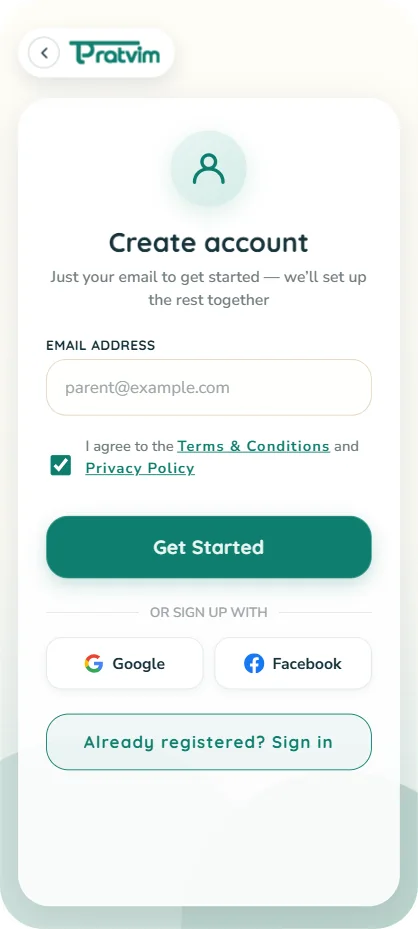
Create your parent account
Just your email to get started. Agree to the terms and Pratvim sets up the rest together with you.
Prefer a shortcut? Sign up with Google or Facebook instead.
-
2Parent journey
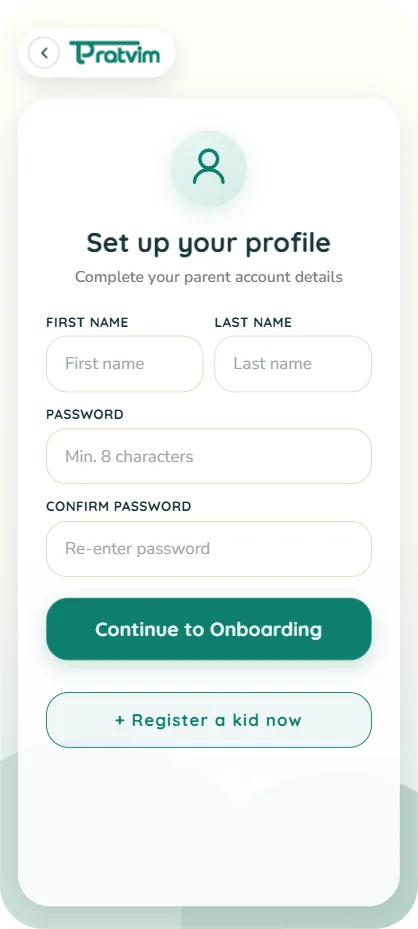
Tell us about your family
Add your name and a few details so Pratvim knows who is in charge.
Nothing here is shown to your children.
-
3Parent journey
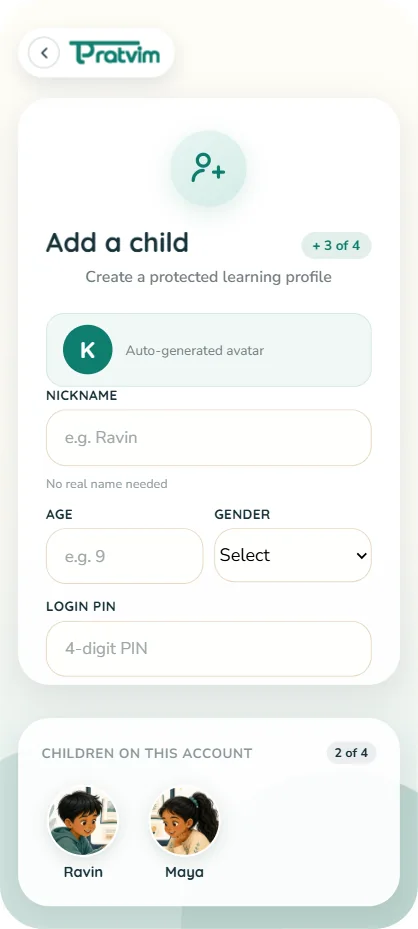
Add each child
Give every child a name, age and avatar. Answers adapt to their age automatically.
Siblings get separate profiles, chats and history.
-
4Parent journey
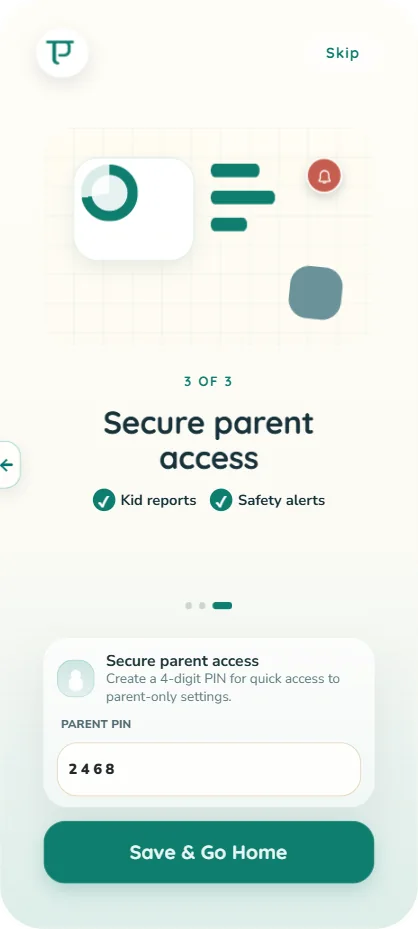
Lock it with a parent PIN
A 4-digit PIN keeps settings, reports and alerts for grown-ups only.
Kids can learn freely without wandering into parent controls.
-
5Parent journey
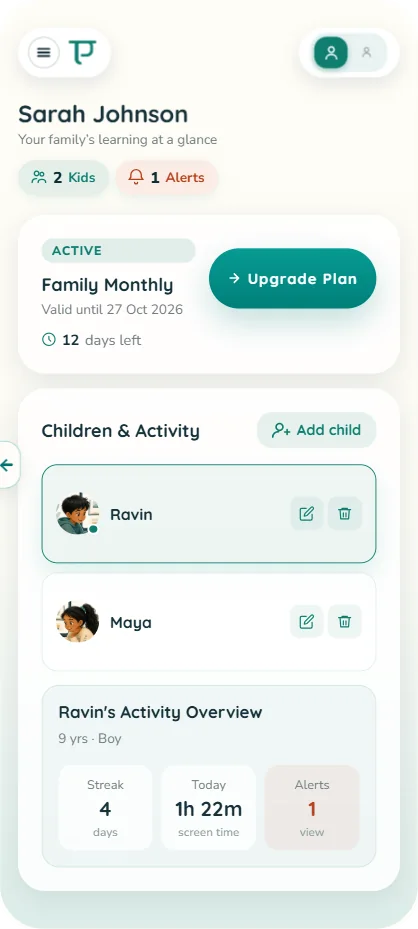
See learning at a glance
Your dashboard shows each child’s streak, screen time today and any alerts.
Switch between children in a tap, and add another child whenever you need.
-
6Parent journey
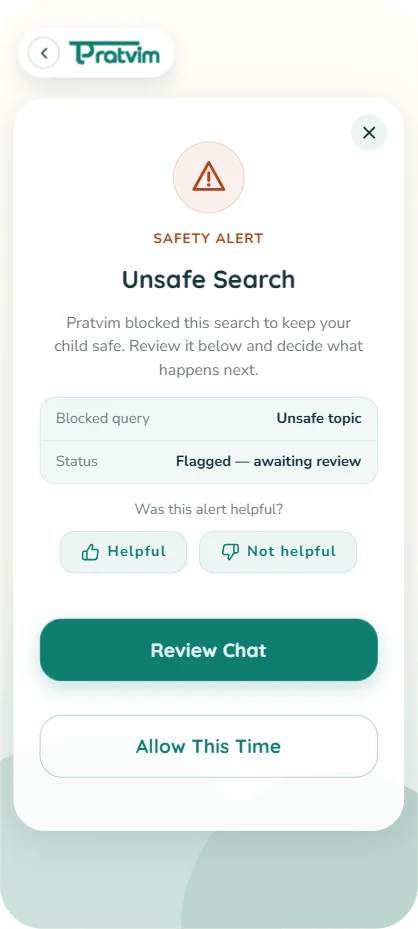
Get alerted, decide what’s next
If Pratvim blocks an unsafe search, you get a safety alert right away.
Review the chat, or allow it this time. You always have the final say.
Ask anything. Learn safely.
A bright, simple space where children follow their curiosity, and every answer is made for their age.
-
1Child journey
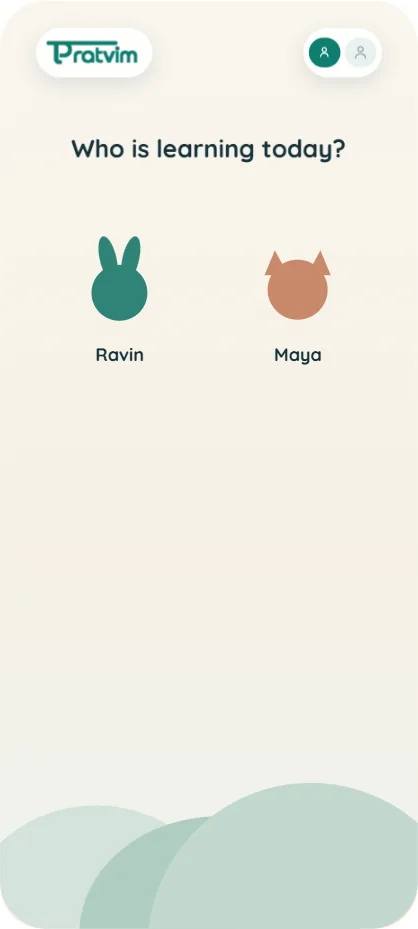
Pick who’s learning
Each child taps their own avatar, so answers and history stay theirs.
No passwords for little ones to remember.
-
2Child journey
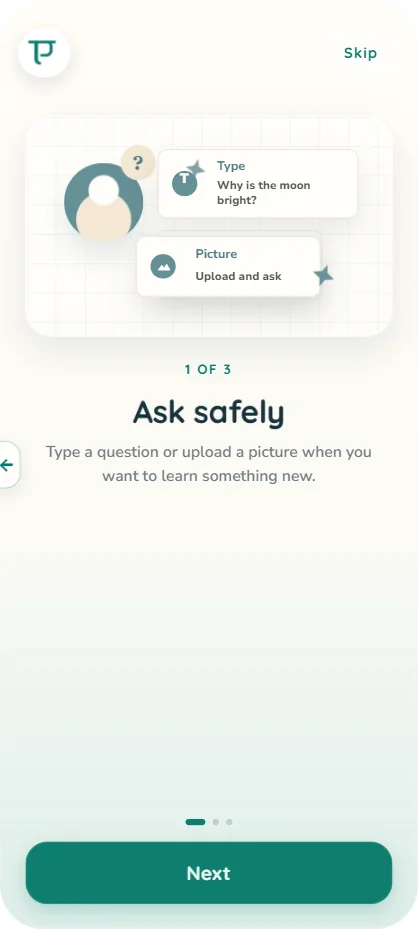
Learn how to ask
A short, friendly welcome shows how to type a question or upload a picture.
Three quick screens, then they are ready to explore.
-
3Child journey
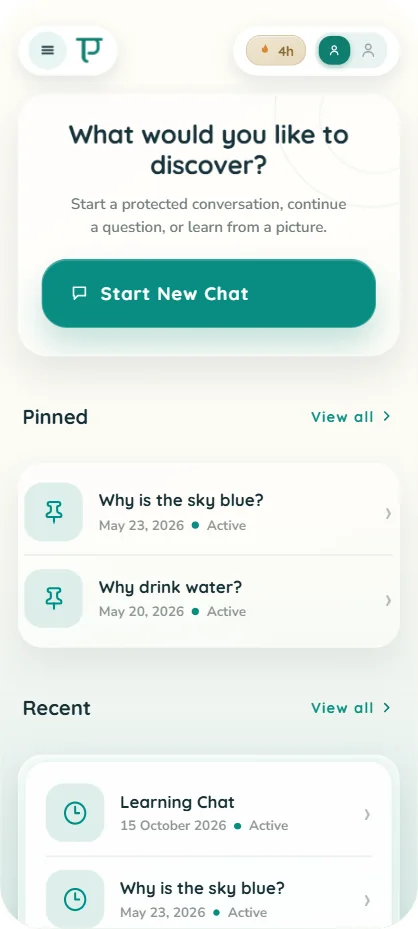
A calm home screen
Start a new chat, or pick up a pinned or recent question where they left off.
Big buttons and clear words, made for ages 6–17.
-
4Child journey
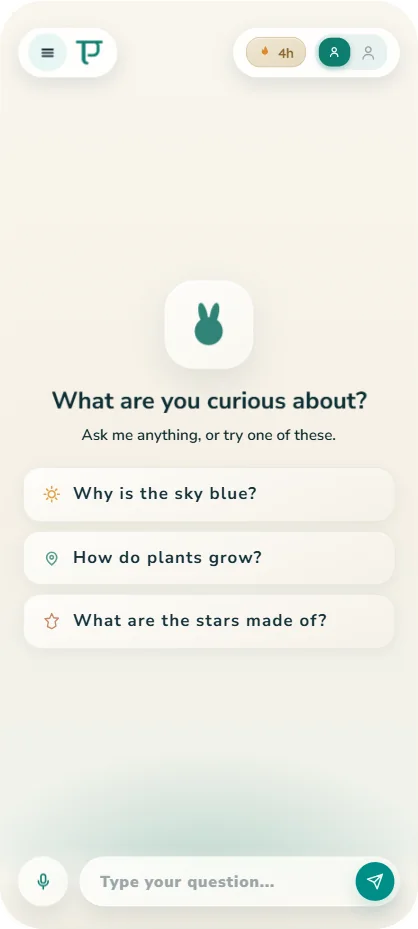
Not sure what to ask?
Suggested questions spark curiosity: why is the sky blue, how do plants grow.
Kids can type, tap a suggestion, or use the mic to speak.
-
5Child journey
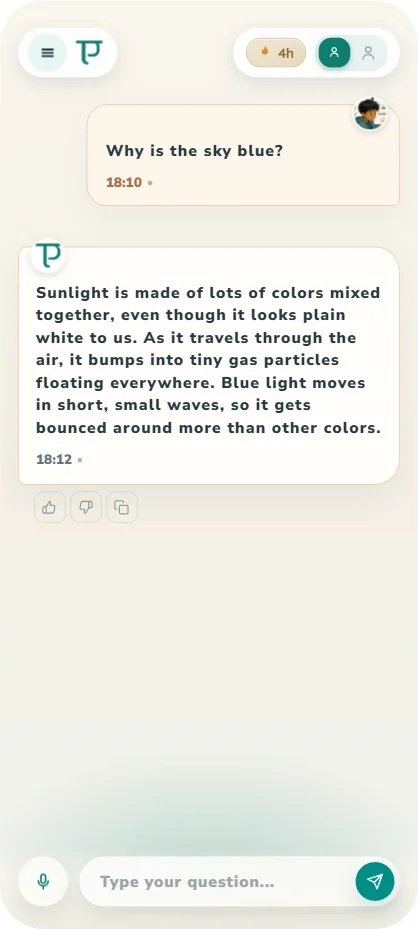
Answers made for their age
Every reply is checked by Pepiko Guardrails before it appears, then written in simple, friendly words.
Unsafe questions are blocked gently, and parents are told.
-
6Child journey
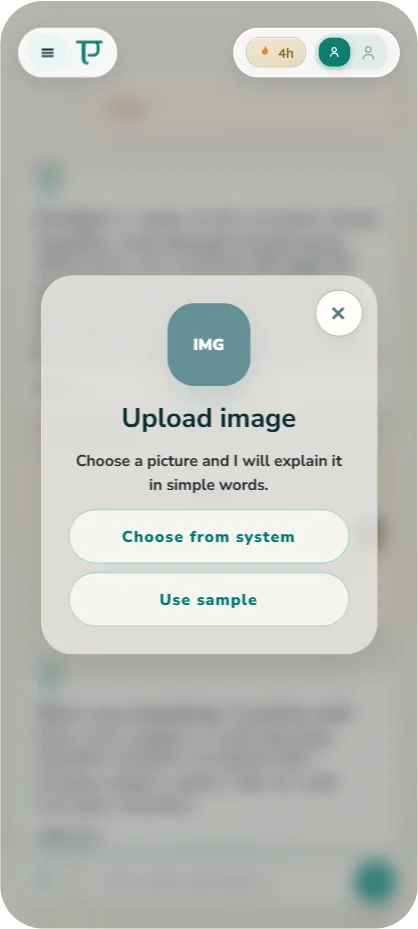
Learn from a picture
Upload a photo of a leaf, a bug or a homework sheet, and Pratvim explains it simply.
Pictures are checked for safety too.
There’s more to explore
-
Daily time limits
Gentle screen-time limits with a friendly timer.
-
Pratvim on iPad
A bigger screen for bigger questions.
-
Pratvim for schools Coming soon
Classroom-ready safety for teachers. Learn more
Their next big question is waiting.
Join the waitlist and be first to try Pratvim when it lands on iPhone and Android.
Coming soon. Join the waitlist for early access.